


The Linux Server Panel That Makes You Forget Plesk & cPanel.
We are the official distributor of Koapanel. Set up Ubuntu 24.04 LTS servers with Nginx, PHP-FPM, MariaDB, SSL, firewall, and hosting panel. Blazingly fast by default, secure by design, packaged in a single Go binary, and free up to 3 websites.
Demo credentials: admin / demo-admin-2026 (resets hourly)
The Right Plan for Your Infrastructure
One predictable price per server, no per-account charges, and no hidden fees. Choose the plan that fits your infrastructure and scale your sites without worrying about rising licensing costs.
Free
For your personal server and to try everything.
- All functions
- Updates included
- Complete manual
Starter
For your work server and first clients.
- All the features, no extra modules
- Resellers, packages and branding
- WordPress with cache and secure updates
- Panel updates included
Pro
For freelancers and small agencies.
- All the features, no extra modules
- Resellers, packages and branding
- WordPress with cache and secure updates
- Panel updates included
Agency
For agencies and resellers: no site limit.
- All the features, no extra modules
- Resellers, packages and branding
- WordPress with cache and secure updates
- Panel updates included
KoaPanel in Action.
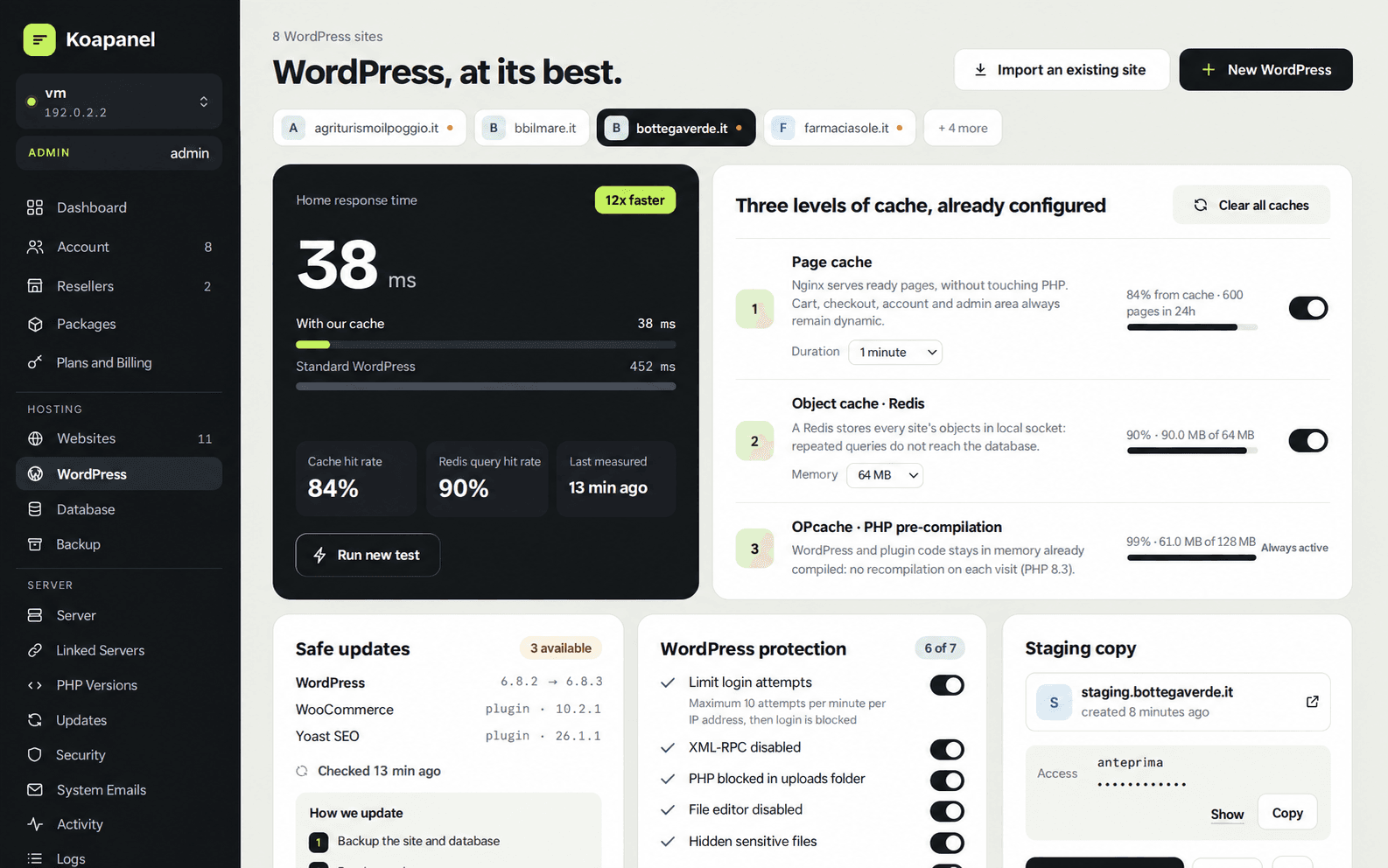
Experience the blazingly fast workflow: isolated Linux users, PHP-FPM pools, native WordPress acceleration, and zero bloated legacy dependencies.
FEATURE / CAPABILITY | KoaPanelRECOMMENDED Ubuntu 24.04 LTS · Why Choose It? | CPANEL & WHMTRADITIONAL HOSTING STACK |
|---|---|---|
Pricing Model | Free for up to 3 personal-use sites, with paid plans starting at INR 845.02/month. | Costs can increase as hosting account numbers grow. |
Modern Interface | Manage administrators, resellers, and customers from a modern interface. | cPanel for users and WHM for server and reseller administration. |
WordPress Optimization | Integrated caching, private Redis, and update rollback features. | Advanced optimization may require extra configuration or tools. |
Resource Efficiency | Designed to simplify installation and reduce control-panel overhead. | A mature platform with multiple supporting services and components. |
Installation | Install on Ubuntu 24.04 using the documented installation process. | Requires a compatible operating system and supported installation procedure. |
PHP Management | Manage supported PHP versions for individual websites. | Configure PHP versions using cPanel's available tools. |
Security & Isolation | Uses Linux account and resource isolation features as described in the product specifications. | Additional components may be required for specific isolation needs. |
Migration | Integrated migration options for supported cPanel and Plesk environments. | Cross-panel transfers may require additional procedures. |
Email & Webmail | Integrated mail services and spam-filtering capabilities. | Includes mature email and webmail management tools. |
Reseller & Branding | Reseller management and custom branding options. | WHM provides reseller and account management capabilities. |
Migrate to KoaPanel in 3 Easy Steps
Move from cPanel or Plesk to KoaPanel with a streamlined migration process designed to minimize manual work and downtime.
Connect or Upload Your Backup
Connect through SSH or upload your existing hosting backup from cPanel, Plesk, or Direct Admin to get started.
Automated Migration & Restoration
Transfer supported websites, databases, cron jobs, and email accounts while preserving essential configurations and account data.
Verify, Test & Go Live
Test your migrated websites, verify services, and update DNS records when everything is ready for launch.
High-Performance Cloud Servers Optimized for KoaPanel
Run KoaPanel on CloudTechtiq Cloud VPS or dedicated servers with Ubuntu 24.04 LTS. Get expert setup, migration assistance, and proactive server monitoring.